
Move something.
Resettle gets the hint.
Resettle never fights you. Drag a window somewhere better and carry on working there. That becomes where it belongs. No rule to edit, nothing to confirm.
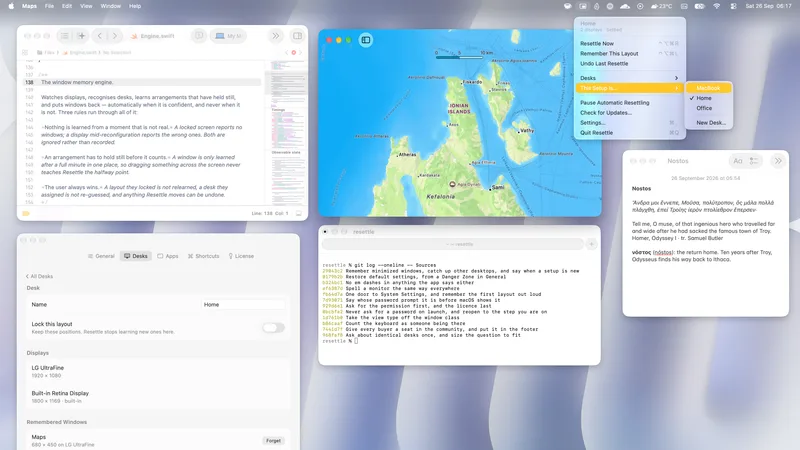
Resettle remembers each setup: home, office, laptop alone. Reconnect, and every window goes back.
Pay once · Updates included · No subscription · 14‑day refund
Every display change is a small demolition. The work is never hard. It is just endless.
macOS folds every window onto the laptop screen, stacked and resized.
The windows spread out again, just not where you would have put them.
Nothing is where you left it. So you drag it all back, one window at a time.
Switch desks below. The windows go where that desk says they belong, just as they do the moment your displays change.
Resettle notices a display setup you keep coming back to and starts remembering it. There is nothing to configure first.
Two displays at home, two at the office, or none at all. Each setup gets its own remembered arrangement.
Two, three, or a laptop on its own. Resettle remembers which display each window was on, and tells identical monitors apart by where they sit, so the left one's windows come back to the left one.
A full-screen window lives in its own Space on one display. Resettle takes it out, moves it to the display it belongs to, and puts it back. The editor that was full-screen on the big monitor still is.
If a desk remembers apps that aren't running, Resettle can open them as the desk returns. Off by default, and it never reopens something you just quit.
Resettle keeps the geometry that makes sense for the display a window lands on, instead of replaying coordinates that no longer mean anything.
Plenty of people have the same display at home and at work. Resettle uses everything it can to tell two desks apart. When it genuinely can't, it asks you once, and never again.
Resettle never fights you. Drag a window somewhere better and carry on working there. That becomes where it belongs. No rule to edit, nothing to confirm.
A dock can make displays appear and vanish several times while it negotiates. Sleep and wake do it too. Resettle lets the configuration stop changing, then restores once instead of chasing every flicker.
Resettle remembers where your windows belong.
That's the product.
$14.99once
If it doesn't work for you, ask within 14 days and you get a full refund.
A license key arrives by email. Enter it once. No account, nothing to sign up for.
Runs on macOS 14 Sonoma through macOS 27, on Apple silicon and Intel.
5.9 MB download. Native Swift, no Electron.
Dodo Payments handles the sale, so any tax for your country is added at checkout.